

Close the month with peace of mind.
The SAIO agent imports financial data, flags variances, collects explanations from the business and prepares the report. You decide what goes to the board.
The Controlling Agent video is on its way
Closing the month without chasing data
A typical month-end
- Manual reconciliations across many systems and spreadsheets
- Dozens of emails to the business and chasing deadlines
- Commentary and report written at the last minute
With the SAIO agent
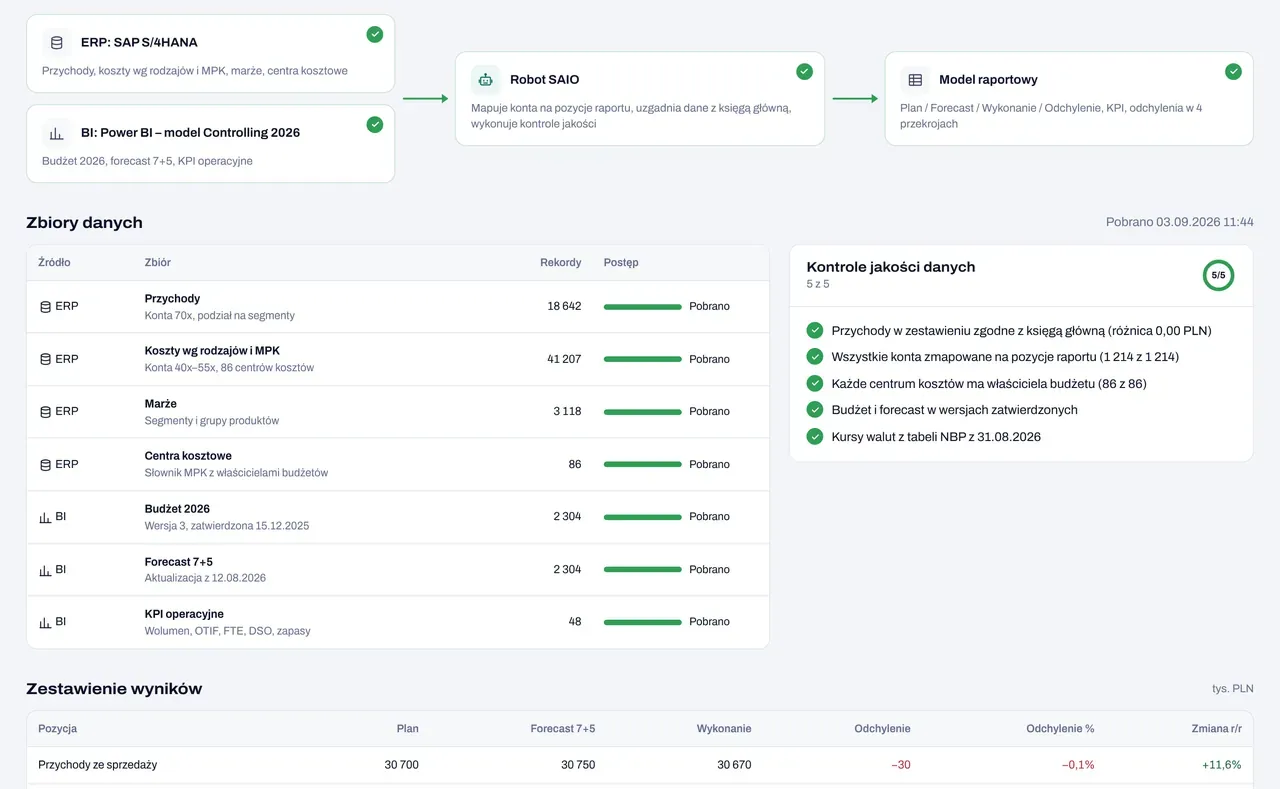
- Data collected and checked automatically
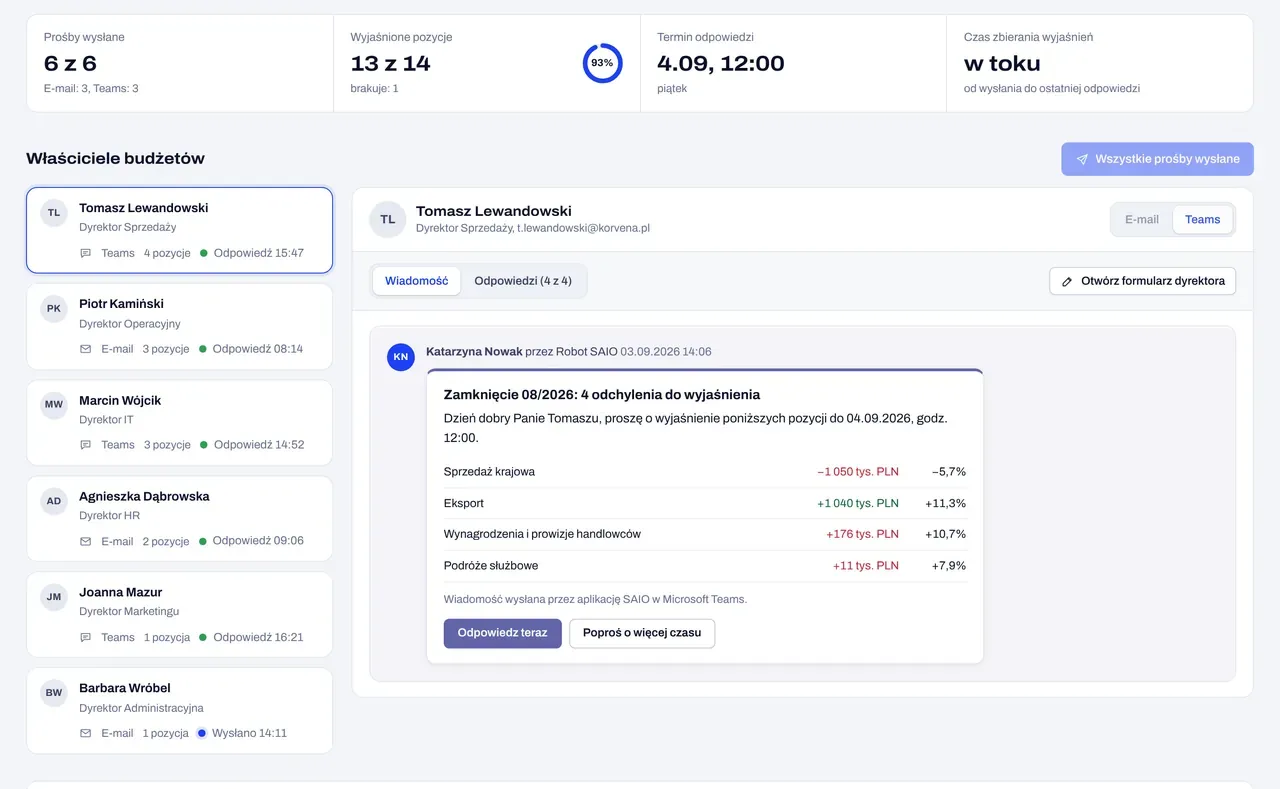
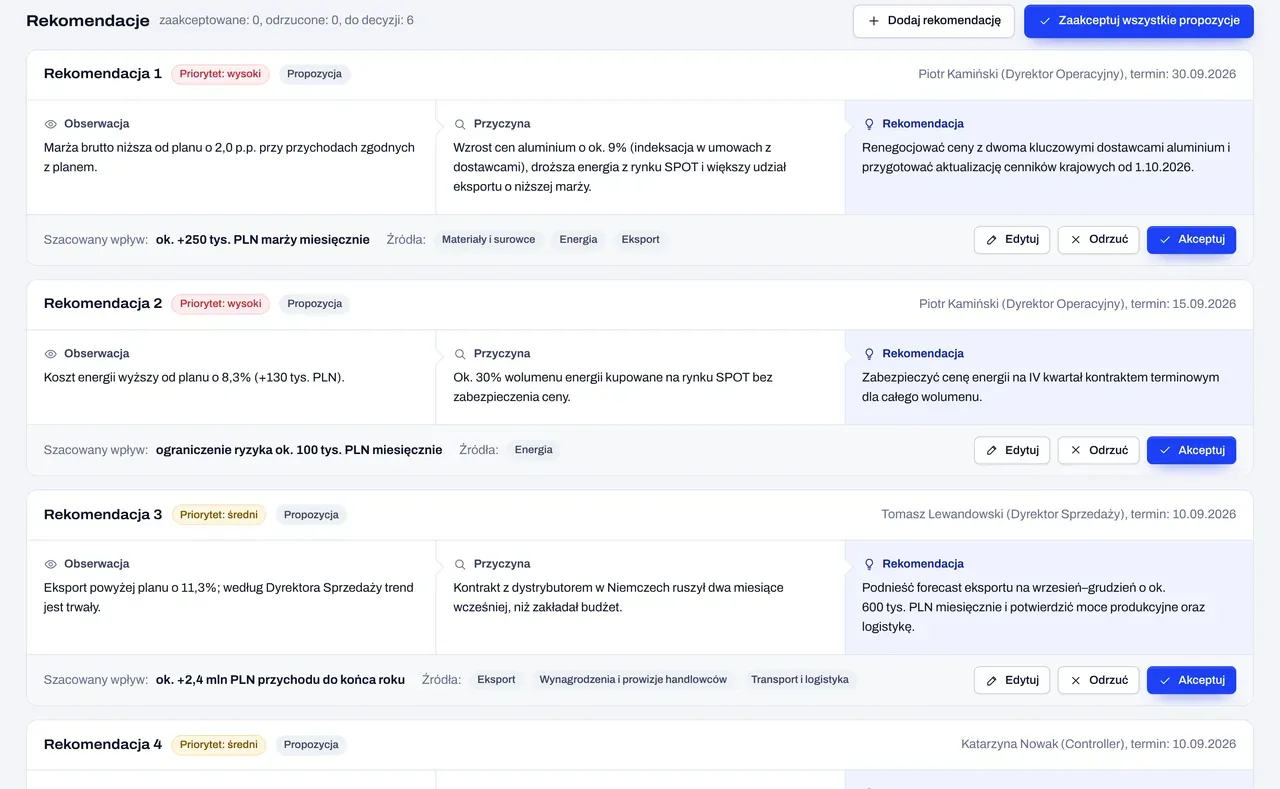
- Questions to the business by email and in Teams, answers in one place
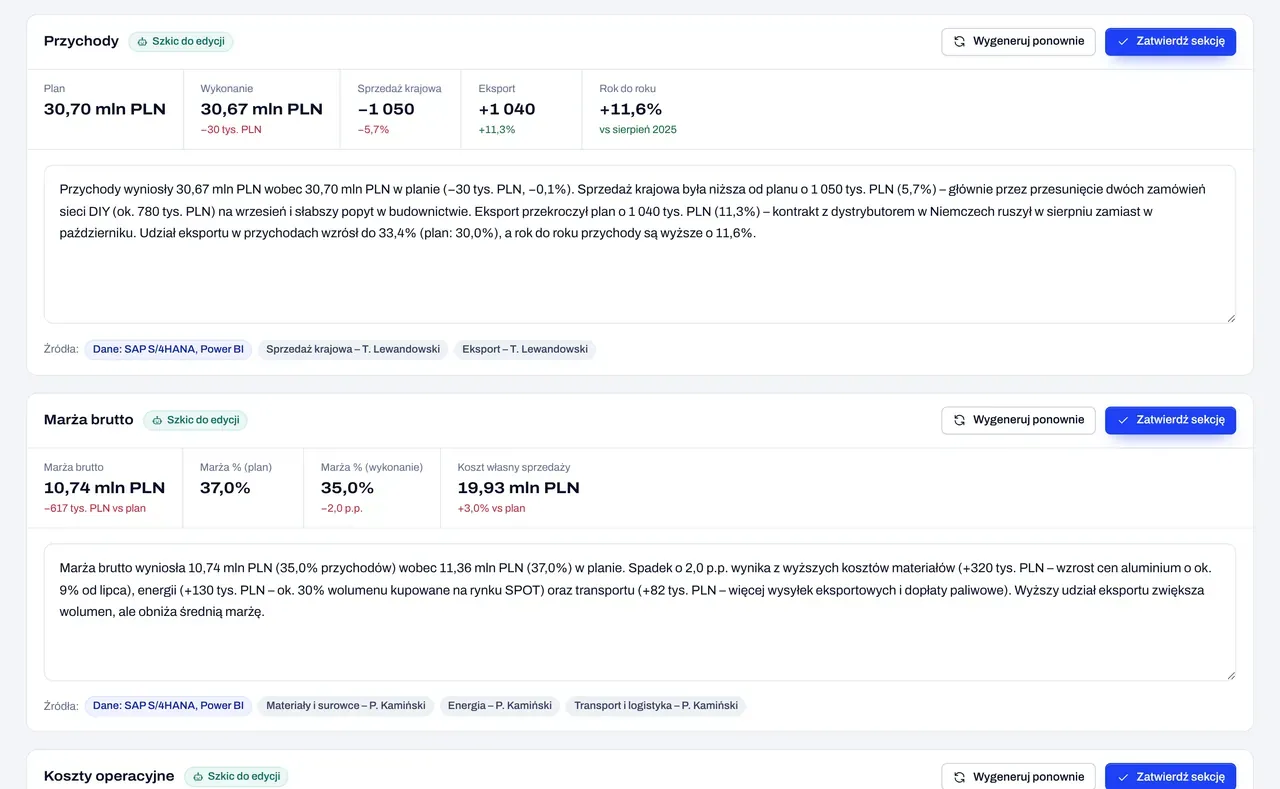
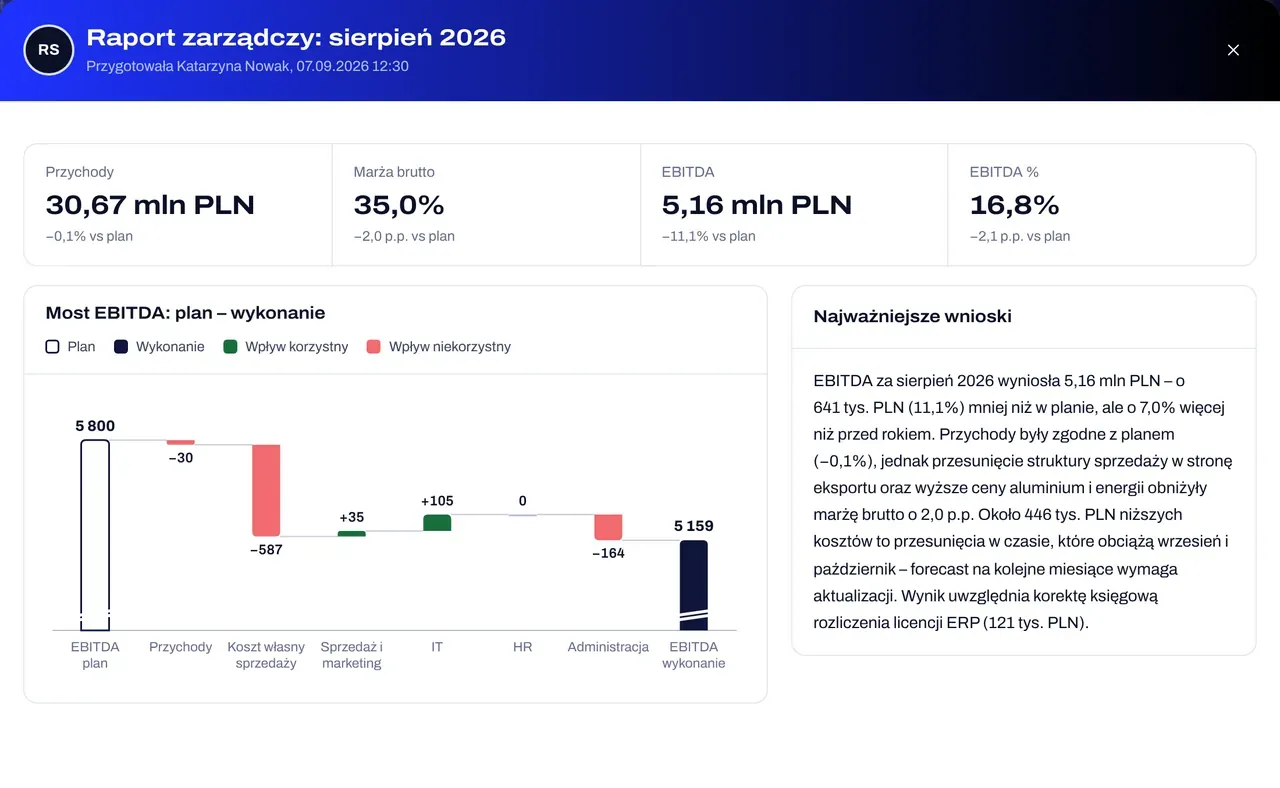
- Draft commentary and report ready for approval
From data import to the board report
The agent runs the process step by step. People make decisions where they really matter.
- no team involvement
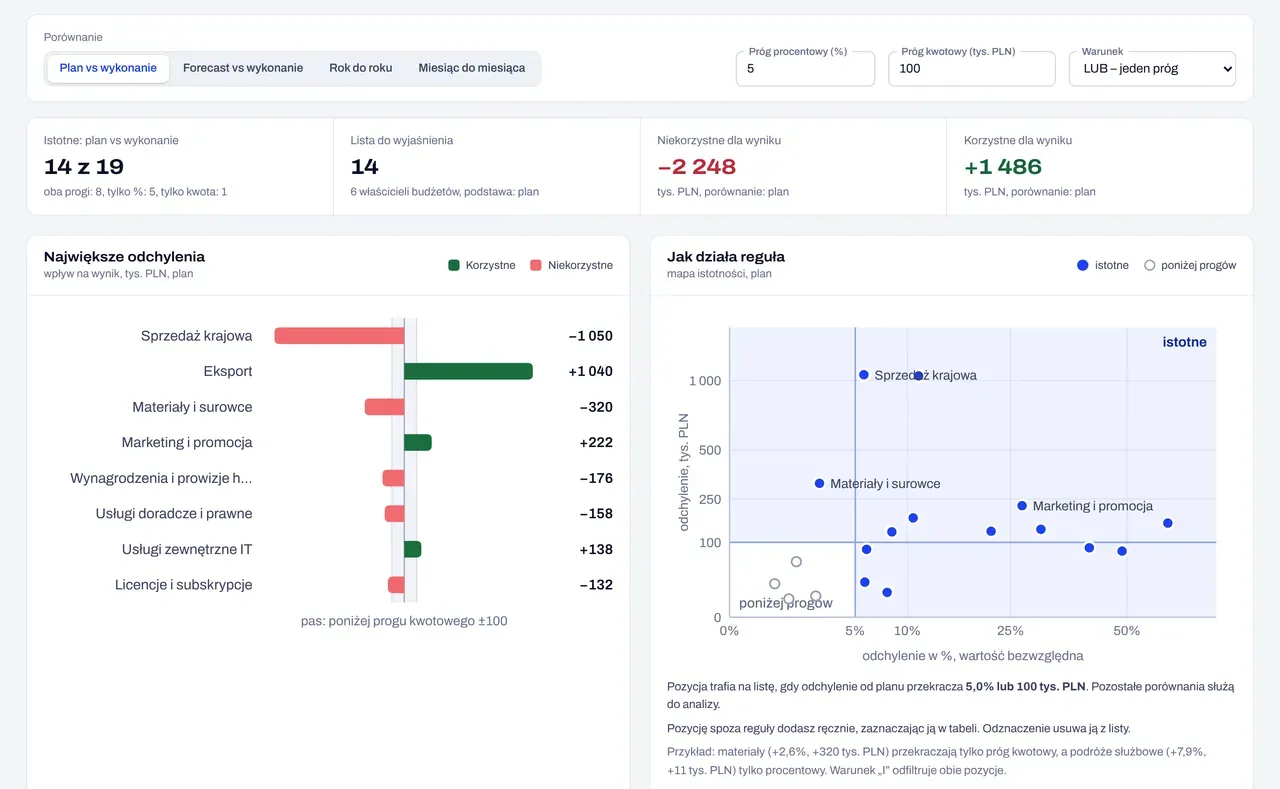
- Controller approves the list
- The business responds
- Controller edits
- Controller selects
- CFO approves
Data import
The agent pulls data from your financial systems and checks that it is complete and consistent. Nobody has to compile it by hand.
Controlling with time for insight

Less manual work
The agent handles data, questions to the business and reminders.

More time for analysis
A draft of the commentary and recommendations is ready for your edit.

Full audit trail
Every action by users and the agent is recorded and can be verified.
Built into your systems and rules

Works on your systems
It uses data from ERP and BI, communicates by email and Microsoft Teams, and delivers the output in Excel.

People make the important decisions
The controller approves key steps and the CFO approves the report. Every action is recorded in the audit log.
Say Hi to SAIO
Contact us and we will advise how we can help your business